
Managing course notifications in Insight Timer is simple. Follow these steps to turn them off or back on anytime:
- Open the Insight Timer app.
- Tap the three lines (☰) in the upper left corner to open the menu.
- Select Settings.
- Go to Encouragement & Notifications.
- Scroll down to Courses.
- Under Course Reminders, toggle notifications off or on depending on your preference.
- Tap Turn Off (or confirm) when prompted.
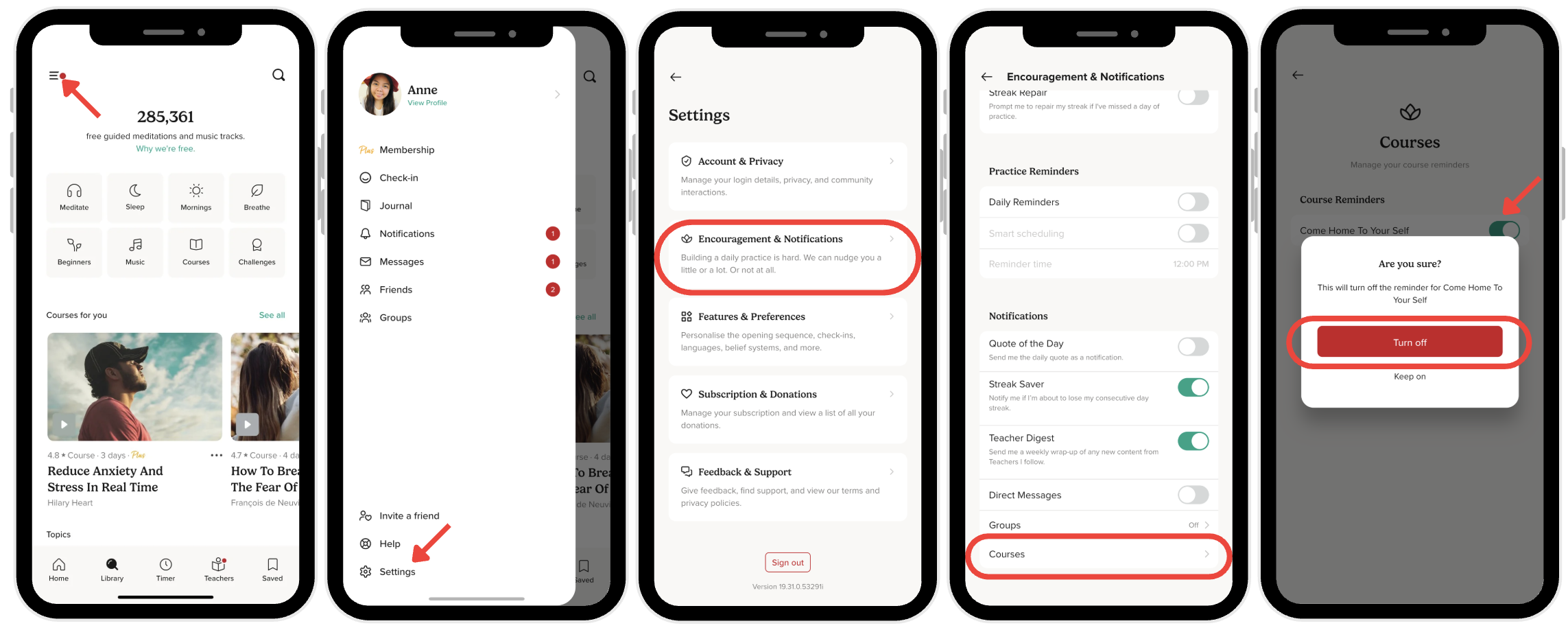
That's it! You'll stop receiving course reminders until you turn them back on.