
Audio Courses explained
Before uploading audio courses, make sure they adhere to Insight Timer's Guidelines for Teachers. A course is a set of pre-recorded audio lessons on a particular topic. It should contain high-quality content aimed at providing community members with skills, tools, behaviors, or actions that support their emotional health and well-being journey in a positive way.
All Insight Timer publishers, provided they meet the prerequisites, can upload MemberPlus Courses directly from their Teacher Dashboards. Courses are one of the most impactful ways teachers share their work and build income.
Why courses matter
Courses are an excellent way to share more of your work and help our community delve deeper into teachings that complement their practice. They're available exclusively to MemberPlus subscribers and serve as one of the primary ways teachers earn meaningful income on our platform. Check course examples here to see what works well.
What makes a good course vs. individual tracks
Courses must include significant teachings, theory, and explanations—not just a collection of guided meditations, podcasts, audio versions of live events, calls, or music tracks. Courses are about depth and progression, not breadth.
If you're offering a collection of related practices without significant teaching and theory, upload them as Premium Tracks instead. A strong course takes students on a learning journey, building knowledge and skills over multiple interconnected lessons.
Important course restrictions
- Course lessons cannot be uploaded individually as Free or Premium Tracks
- Do not upload an existing published track as a course lesson
- The same audio content cannot be published twice on our platform in different formats
Prerequisites and requirements
Before you can upload courses
To unlock the ability to create and publish courses, you must meet all of these requirements:
- You must have at least 2 free tracks published on your profile
- The average rating of each free track must be at least 4.5 stars
- You must own the copyright to all course content—audio, images, music—or it must be royalty-free and in the public domain
- You must have relevant qualifications, accreditations, or expertise for your specific topic
- You must add your PayPal account details to your teacher profile for payment processing
- You must upload all relevant certificates or documentation to your Teacher Dashboard under Publisher Profile > Accreditations
Why free tracks first?
Publishing free content is a good way to build your reputation and let community members experience some of your teaching before committing to a paid course. Free content also helps your teacher profile look more complete and established. During your course, you can recommend students listen to related free practices to integrate course teachings and skills into their everyday lives.
Credentials for specialized topics
Before recording a course in specialized areas, make sure you have the relevant qualifications, accreditations, or expertise to support the topic you're covering. If using trademarked practices or teaching specialized categories, upload all relevant certificates or documentation to your Teacher Dashboard under Publisher Profile > Accreditations. Examples of specialized topics requiring credentials include MBSR, ACT, Neuroscience, Psychology, Wim Hof Method, Transcendental Meditation, ACIM, Max Meditation System, Goenka, Deepak Chopra, Dr. Joe Dispenza, Alan Watts, SOMA meditation, Carl Jung, Silva Method, OSHO, and similar disciplines.
How courses generate revenue
Courses generate income through plays on individual lessons within their classroom. When community members listen to your course lessons, you earn revenue.
Insight Timer generates revenue through MemberPlus subscriptions. A significant portion of that revenue is paid to teachers. This underscores the importance of offering exceptional course content exclusively to subscribers. The more MemberPlus subscribers we have, the greater the revenue available to support teachers.
We allocate a significant share of our teacher revenue to Course Plays, making courses an excellent avenue for teachers to earn meaningful income. For more information on how your revenue is calculated, please check our Teacher Income FAQ article.
Common course questions
How many lessons should my course have?
A course should contain at least 3 lessons. There's no maximum number of lessons, but aim for coherence and logical progression. Each lesson should build on the last, creating meaningful learning progression. Many successful courses have 5–10 well-structured lessons.
How long should each lesson be?
Each lesson should be at least 3 minutes long. Lessons can range from 3–40 minutes depending on depth and content, but the typical sweet spot is 7–15 minutes. Consistency in length helps learners know what to expect. Longer, deeper lessons work fine if they maintain engagement and focus.
Should I include day or number indicators in my lesson or course titles?
Avoid numbering in your course or lesson titles — for example, "Day 1," "Day 2," or "Lesson 3." These labels appear directly on the app alongside the course progression UI, which already handles lesson ordering, creating visual redundancy.
Instead, give each lesson a descriptive title that reflects its content — for example, "Introduction to Breath Awareness" rather than "Day 1: Introduction to Breath Awareness.
Can I publish the same lesson as both a course and individual track?
No. Once you've uploaded content as part of a course, it cannot also be published as individual Free or Premium Tracks. Content is published one way—either as a course or as individual tracks. This ensures premium subscribers see unique value in courses.
What if I want to convert a published course lesson to individual tracks?
If you'd like to unpublish your course and instead publish individual lessons as tracks, contact publishers@insighttimer.com. We'll help you manage the transition properly.
What audio format should my course be?
All course audio must meet studio quality standards:
- File format: MP3
- Bitrate: Minimum 192 kbps (higher is better)
- Sample rate: 44.1 kHz or higher
- No background noise, page flipping, objects, animals, people talking, or other distracting sounds
- Professional, clean audio throughout all lessons
- Consistent volume levels across all lessons
How do I title my course and lessons?
Course title: Use a clear, descriptive title that reflects your content and learning outcomes. Good examples: "8-Week Foundation in Meditation," "Sleep Mastery: Techniques for Deep Rest," or "Anxiety Management Through Breathwork."
Subtitle: Craft a concise, engaging subtitle that clearly highlights the value of your course and the transformation it offers. This short paragraph should capture attention, communicate key benefits, and encourage users to explore further—whether it’s reducing stress, improving focus, or building a consistent meditation practice.
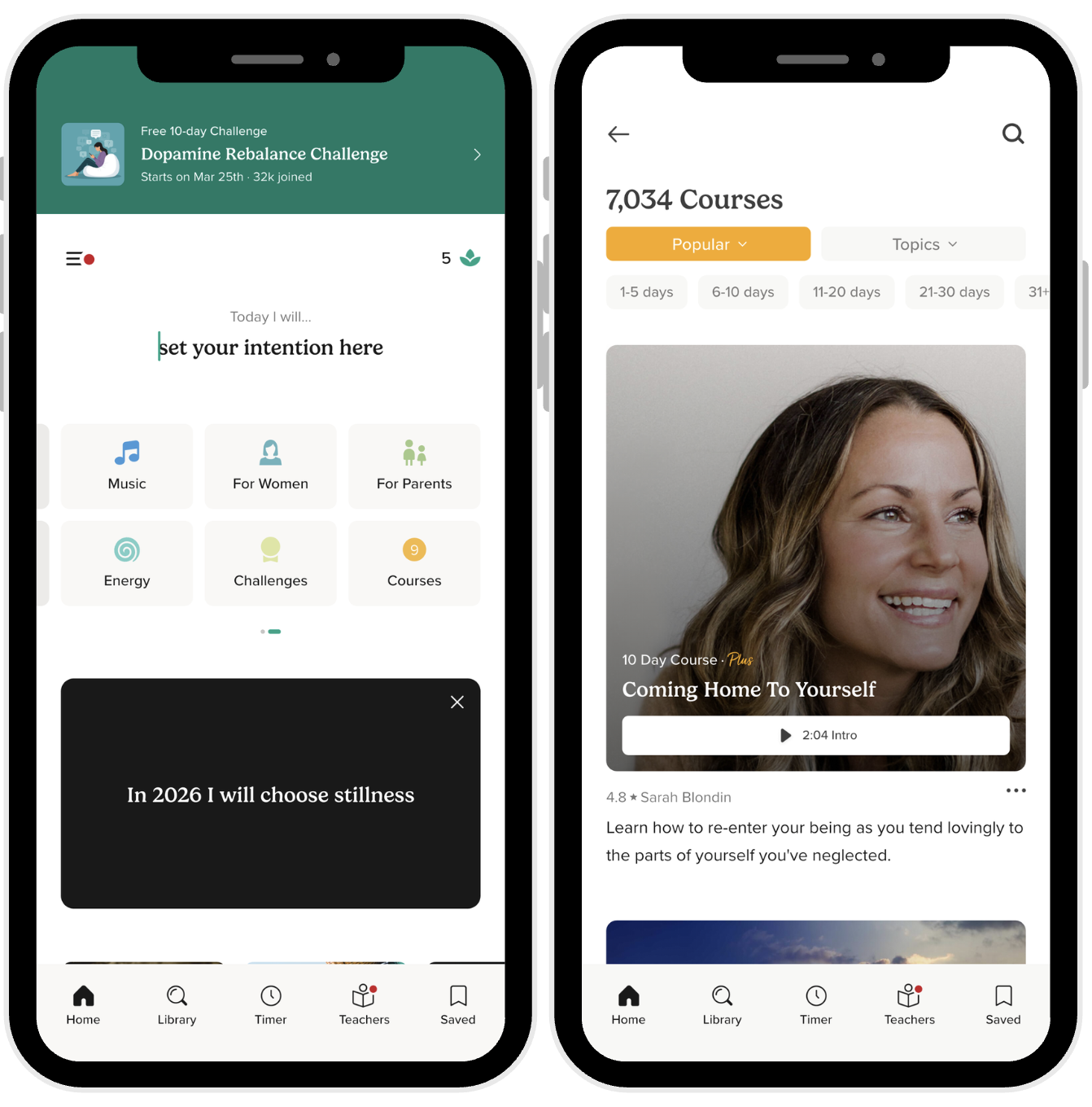
Descriptions: Write clear descriptions explaining what students will learn in each lesson and how it connects to the overall course arc. This helps learners understand progression and commit to the full course.
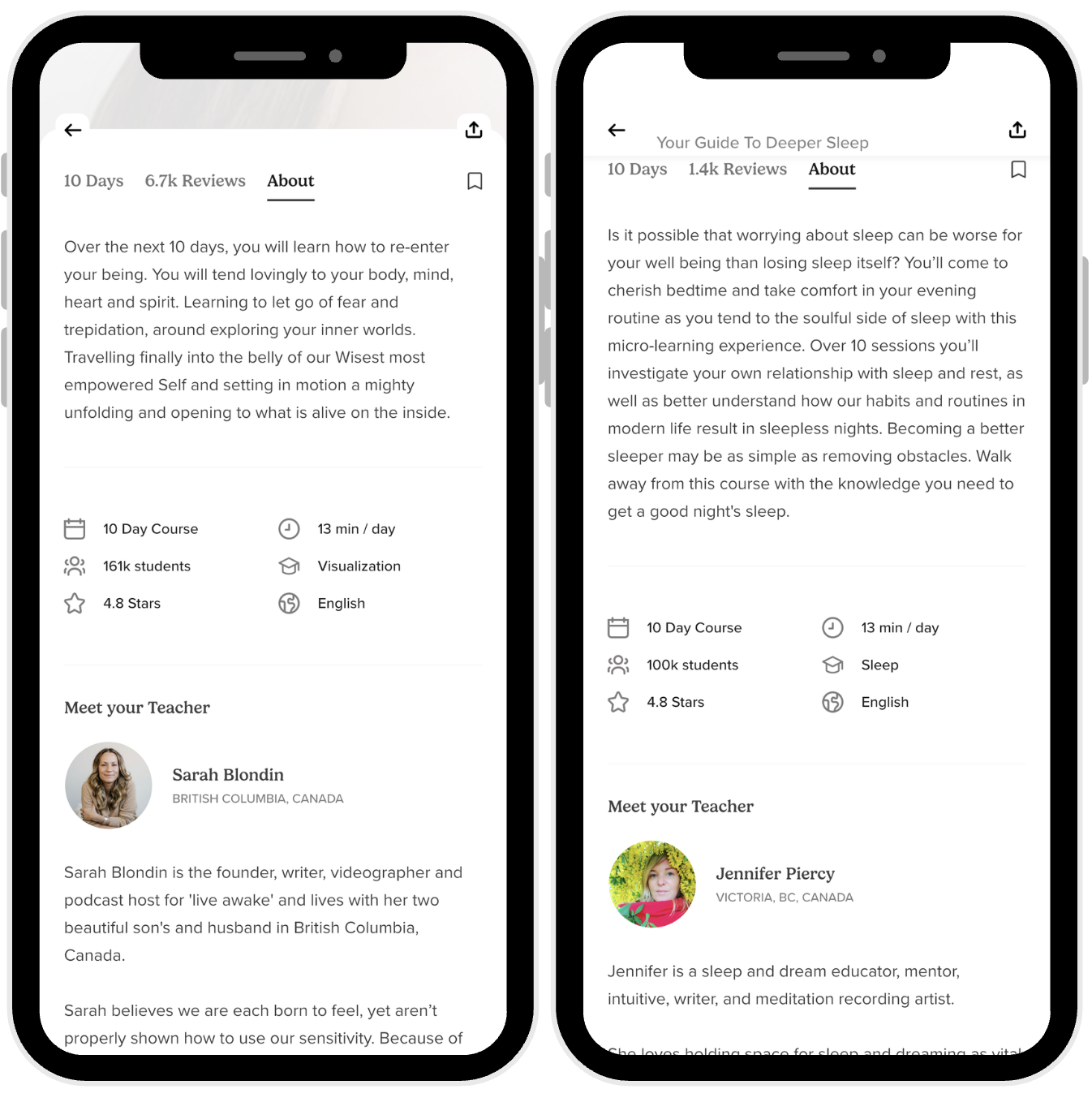
What image should I use for my course?
Provide a high-resolution, professional image that represents your course content. The course image plays an essential role in attracting students and should reflect the course topic and feel. Make sure it meets our Image Requirements: high resolution, professional quality, and directly relevant to your content.
Step-by-step course upload process
Step 1: Prepare and record all lessons
Before uploading anything, record all lessons in your course. Organize them in logical order. Edit each lesson carefully for quality, removing distractions. Make sure audio quality is consistent across all lessons. Test your final mix on multiple devices.
Step 2: Create your course in the dashboard
Log into your Teacher Dashboard and select "Create Course." Fill in your course title, a compelling description, and upload your course image. Review all details for accuracy and clarity.
Step 3: Add lessons to the course
Upload each lesson audio file as an MP3. Complete all metadata for each lesson: title, description, duration. Upload lesson images if desired. Make sure lessons are in the correct order and progression is clear.
Step 4: Verify copyright and accreditations
Confirm that you own the copyright to all course content—audio, images, music—or that it's royalty-free and in the public domain. If your course covers specialized topics, ensure you've uploaded relevant accreditation documentation. We take copyright very seriously.
Step 5: Final review and submission
Have a thorough final look at your entire course. Check that the lesson order makes sense, descriptions are clear and compelling, audio quality is consistent throughout, and everything meets our guidelines. Click Submit to send your course for review.
Review and approval process
Our editorial team reviews all course submissions to ensure they meet quality standards. We evaluate audio quality, content depth and accuracy, lesson progression and structure, and compliance with Insight Timer Guidelines for Teachers. The review process typically takes 1–2 weeks.
Approved courses go live immediately and become available to all MemberPlus subscribers. If revisions are needed, we'll provide detailed feedback and a deadline to resubmit. Courses that don't meet our standards will be rejected with clear explanation of the issues.
Check your inbox regularly—including spam and junk folders—for notifications about your submission status and any feedback from our editorial team.
Copyright, ownership, and legal
You must own or have rights to all course content, or the material must be royalty-free and in the public domain. This includes all audio, images, and any background music used. We take copyright violations very seriously and reserve the right to remove content that violates these policies immediately.
Maximizing your course success
After your course is published
You can edit lesson descriptions, titles, and images anytime. If you want to add new lessons or significantly restructure the course, you'll need to submit the changes for editorial review.
How do I get more course plays and students?
- Write compelling course titles and descriptions that clearly convey what students will learn
- Make sure your course image is professional, attractive, and representative of the content
- Encourage students to start from Lesson 1 to follow the intended progression
- Respond thoughtfully to reviews and feedback from community members
- Cross-promote your course with related free tracks
- Maintain consistent content quality and pacing throughout the course
Can I view course analytics and performance?
Yes. Your Teacher Dashboard shows detailed analytics including plays per lesson, overall course plays, ratings, and earnings by course and by individual lesson. Review this data regularly to understand what resonates with your audience and where students may be dropping off in the progression.
Important reminders
We reserve the right to reject any course that does not meet any of the above requirements or doesn't adhere to Insight Timer's Guidelines for Teachers. As a teacher, you can edit or remove your material at any time. Please make sure to regularly check your inbox, including spam and junk folders, for email notifications about your course submissions and any feedback from our team.
Get support
If you have questions about course requirements, the upload process, copyright issues, accreditation documentation, or anything else related to creating and publishing courses, contact publishers@insighttimer.com. We're here to help you create courses that succeed and generate meaningful income. If you see something that you think may violate our guidelines, please help us by letting us know through the appropriate reporting channel.