
How to Send a 'Thanks for Meditating' Message
One of the beautiful things about Insight Timer is that you're never truly meditating alone. When you join a live guided meditation session or a guided practice, you're connecting with thousands of community members around the world, all practicing mindfulness together at the same time. After your session ends, you have the option to send a thoughtful "Thanks for meditating with me" message to any of those community members. It's a simple, meaningful way to acknowledge the shared experience and build connection within our global meditation community.
Why send a thanks message?
Whether you're practicing stress relief, working on anxiety management, or just building a consistent meditation habit, practicing together matters. A thanks message lets others know their presence in the practice space affected you. It strengthens the emotional health community on Insight Timer and encourages connection between practitioners.
How to send the message
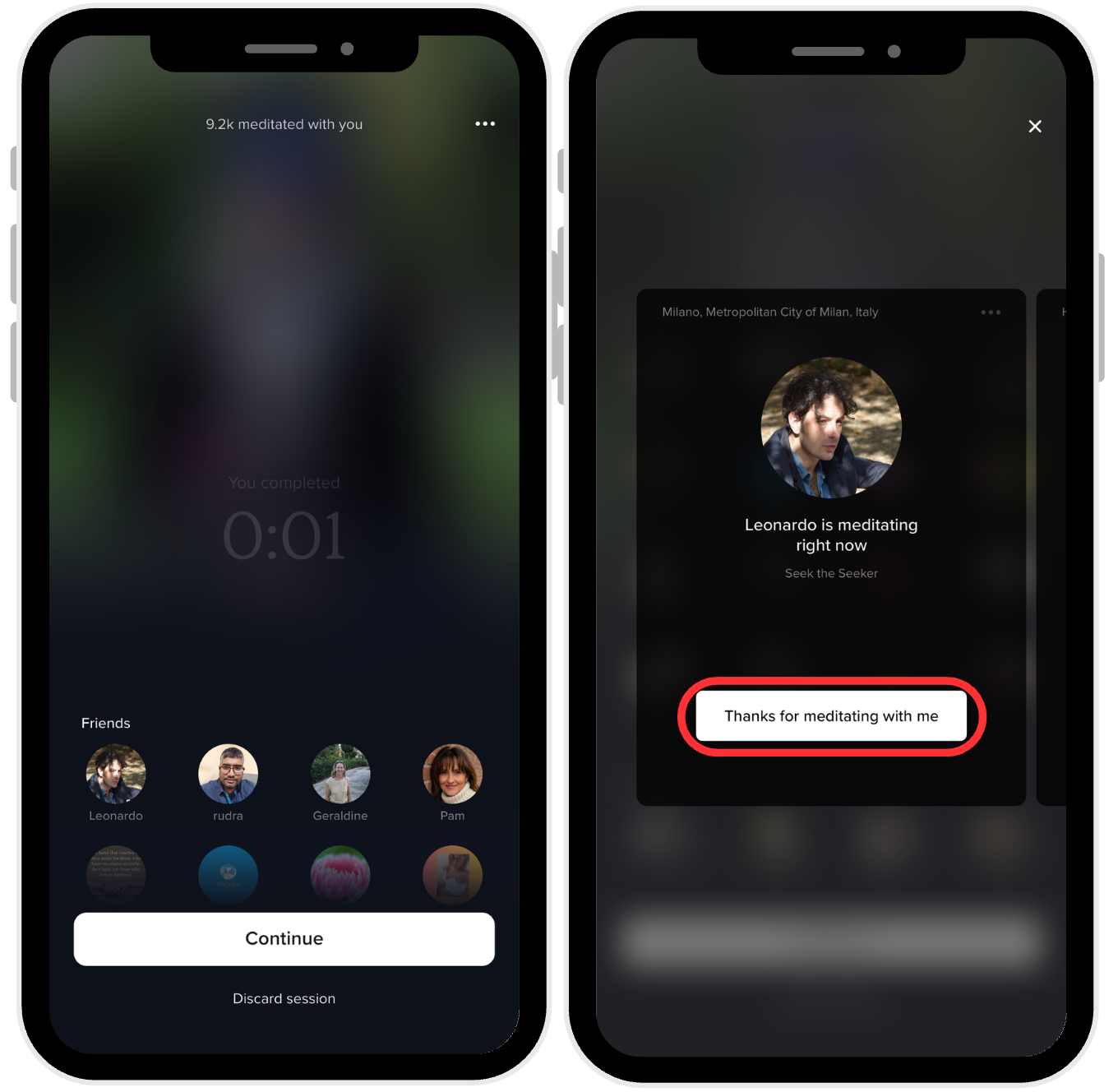
- Tap Finish after your session ends.
- Scroll to the bottom of the screen.
- You'll see the list of community members who meditated with you.
- Tap on the profile of anyone you'd like to thank.
- Click the "Thanks for meditating with me" button.
- Your message will be sent to them.
Important note about privacy
The "Thanks for meditating with me" button will only appear if the recipient has enabled this feature in their settings. This means they've chosen to receive these kinds of community messages. Respecting your community members' privacy preferences is important to us.
To learn how to enable or disable this feature in your own settings, visit our guide on managing your message preferences.