
On Insight Timer, teachers can receive donations directly from community members who want to support their work. Donations are a meaningful and direct way for listeners to show appreciation and gratitude, and they help teachers continue creating and sharing the meditation practices, courses, talks, and other wellbeing content that's making a difference in people's lives. Unlike a subscription to the platform, donations are individual gestures of support that can happen anytime a community member wants to help you out.
Donation Amounts Available to Your Listeners
Community members can choose from different preset donation amounts, which gives them flexibility to support your work according to their capacity, budget, and how much they value what you do. This thoughtful approach respects everyone's financial situation while still making it easy for them to contribute. All donation amounts are in USD. Here's what donation options are available on each platform:
iOS Donation Options
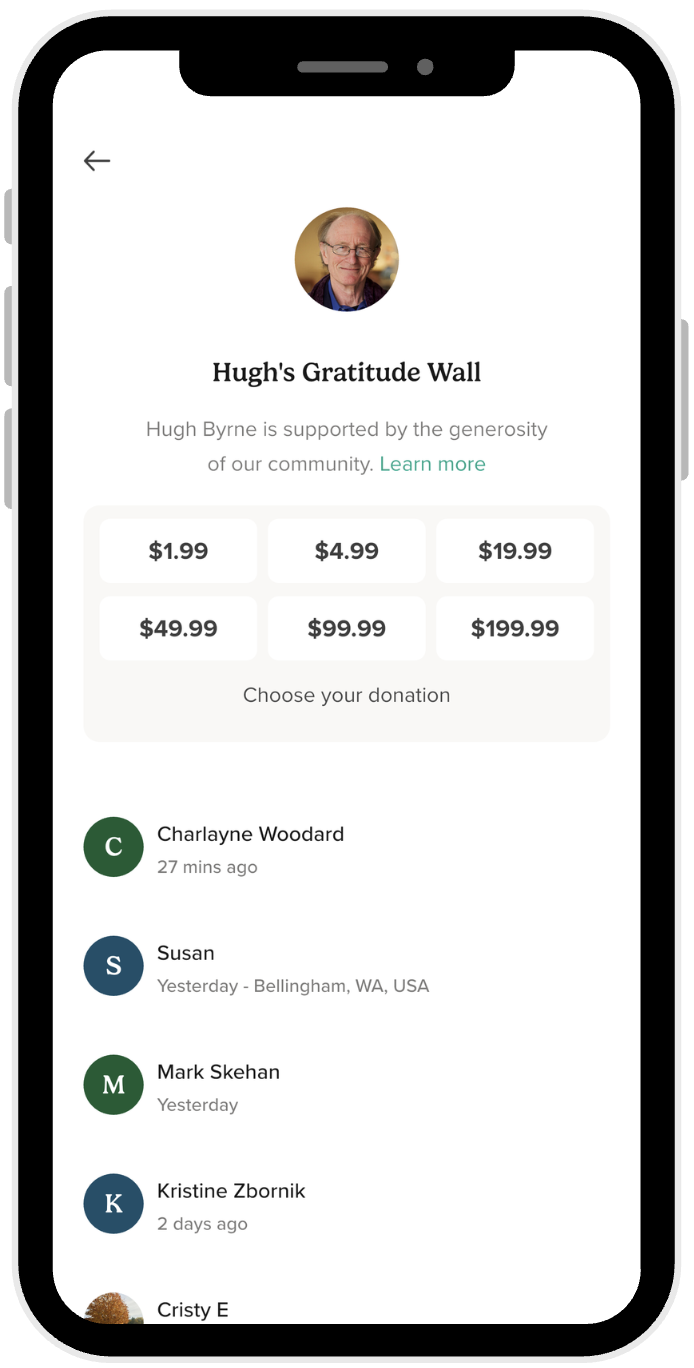
Community members using Apple devices can choose from six different preset amounts:
- $1.99
- $4.99
- $19.99
- $49.99
- $99.99
- $199.99
Android Donation Options
Community members using Android devices have four options to support you:
- $1.99
- $4.99
- $9.99
- Other (custom amount)
The "Other" option on Android is particularly useful because it enables community members to donate a specific custom amount (up to $999) that suits their personal budget and level of support. This flexibility means they can support your work in whatever way feels right for them, whether it's a small token of appreciation or a larger contribution that reflects how much your teaching has meant to them. Some listeners will want to donate exactly what they think your content is worth, and this option lets them do that.
What You Actually Receive from Donations
You receive the net amount of each donation after platform fees and applicable charges are deducted. It's important for teachers to understand exactly what happens with donation money so you can plan your income accurately and know what to expect. The process is transparent, and you get to keep the vast majority of what's donated to you.
Here's the detailed breakdown of what comes out of each donation:
- Apple transaction fee (30%): Applied to all donations made through iOS devices. This is Apple's standard percentage cut for all in-app purchases and payments processed through their system. If a community member donates $10 on iOS, Apple takes $3.
- Foreign exchange fees: Will apply if a community member donates in a currency other than USD, or if you request to receive your payouts in a currency other than USD. These fees cover the cost of currency conversion and vary based on exchange rates.
- Applicable taxes: Depending on your country of residence and local tax laws, taxes may be deducted from your donations at the source. Tax obligations vary by region, and this ensures compliance with local regulations.
Insight Timer takes 0% platform fees. We keep our commitment to teachers by taking absolutely 0% of any donations you receive. We don't take a cut. We pass the entire amount (net of platform fees imposed by Apple/Google, foreign exchange fees, and applicable taxes) directly to you. Your donations go entirely into your teaching income and revenue stream, not into Insight Timer's pocket. This is one of our core promises to our teaching community.
Donations will be paid to you monthly and reflected in your monthly statements, so you can track exactly what you've earned from donations alongside any other revenue sources.
Know When You Receive a Donation
You can track all donations you receive in real-time using your Teacher Dashboard, which gives you instant visibility into your supporters' generosity. When community members donate to you, you'll see the donation appear on the Donations tab in your Teacher Dashboard. A red dot will appear as a notification indicator of a new donation received, so you'll never miss out on these moments of connection and support from your listeners.
In the Donations tab, you can see several pieces of information about each donation:
- The exact amount that was donated
- Who the donation came from (the community member's name or username)
- Any personal messages or notes they included with their donation to thank you or share their thoughts
This makes it easy for you to recognize your supporters, understand who's been helped by your work, and see how your teaching is resonating with your audience.

Thank Community Members for Their Donations
You can thank community members who donate directly from your Teacher Dashboard, creating a personal and meaningful connection with your supporters. It's a wonderful way to show genuine appreciation and build deeper relationships with the people who believe in your work and want to support you.
Here's how to reply to donations and build your Gratitude Wall:
- Go to the Donations tab in your Teacher Dashboard to see all donations you've received.
- Sort donations by Awaiting to find the ones you haven't replied to yet, making it easy to stay organized.
- Reply to each donation in the Write a reply field with a personal message of thanks and appreciation.
- Once you've replied, your message will be automatically displayed on your Gratitude Wall, which is visible to other community members.
Community members can find your Gratitude Wall by opening the Insight Timer app, searching for your name on the search bar, tapping your teacher profile, and clicking Donate. They'll see a curated list of everyone who has donated to you and read your personal messages thanking them for their support. This creates a beautiful space to celebrate your supporters and show other potential donors the kind of community you've built around your teaching work.
Where Community Members Can Donate to Support You
Community members can donate in several different places throughout the Insight Timer app, giving them multiple opportunities to support your work at moments when they feel most connected to you. Before they can donate, make sure you have donations enabled on your teacher profile.
On Your Teacher Profile
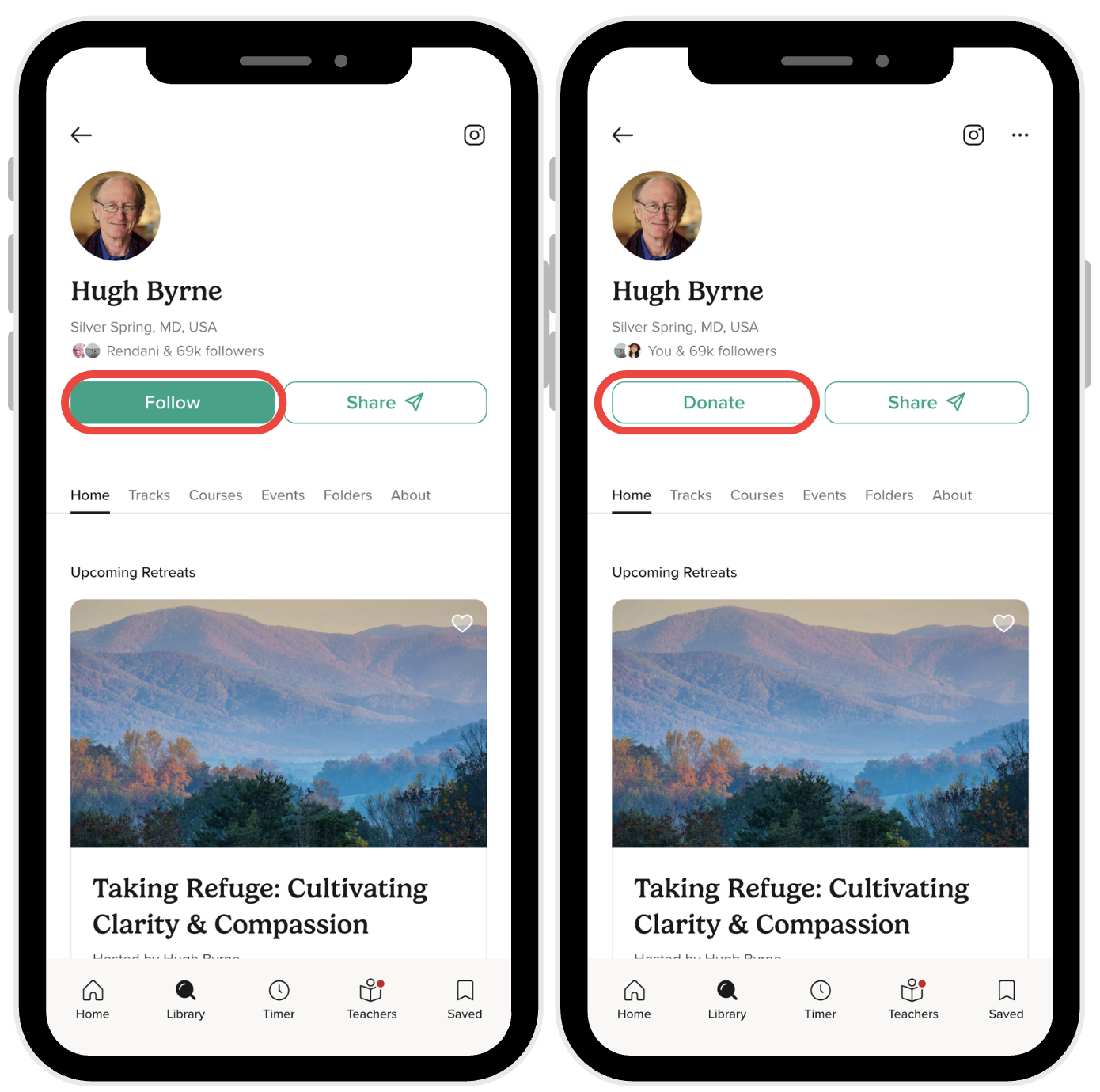
After a community member follows you, a Donate button appears prominently on your profile screen in the top right corner, making it immediately visible and accessible. This is often the first place they'll look if they want to support you, so having donations enabled here is crucial.
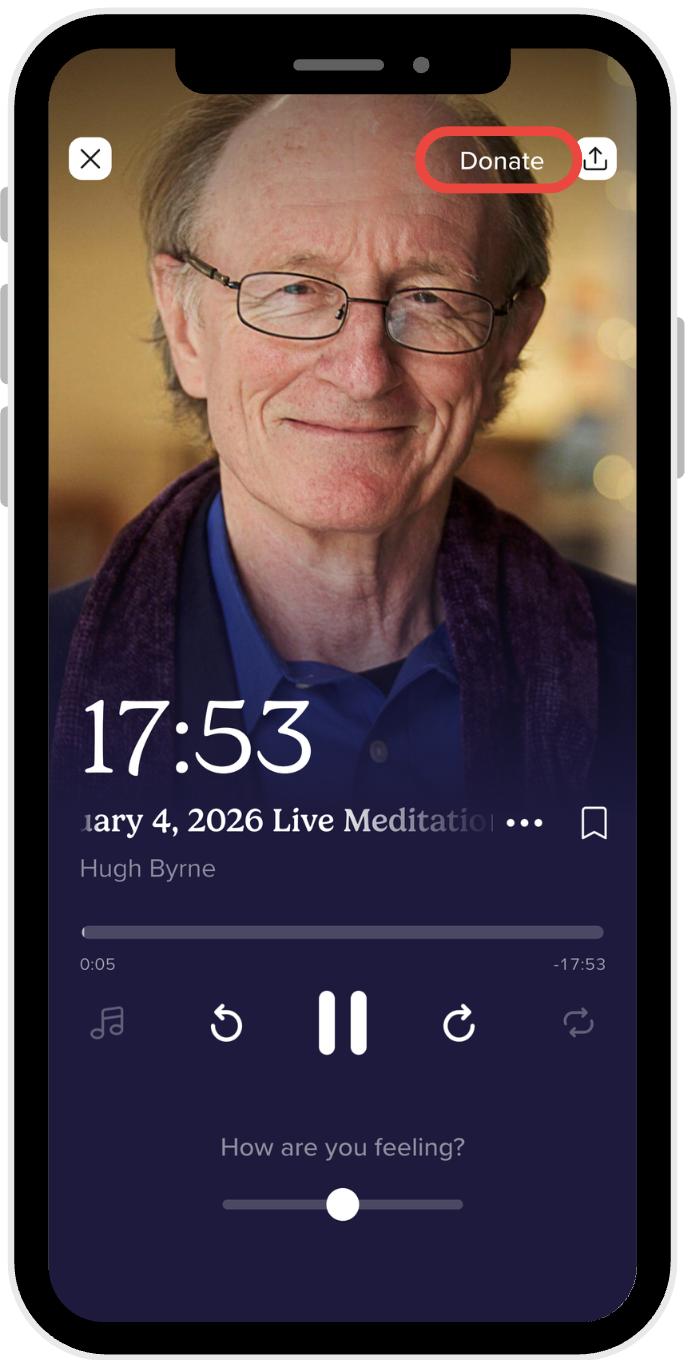
While listening to one of your tracks, if they've chosen to follow you, a Donate button will appear in the top right corner of the playback screen. This gives listeners the ability to support you while they're actively enjoying your content and in the moment of greatest appreciation for your work.
During Your Live Event Sessions
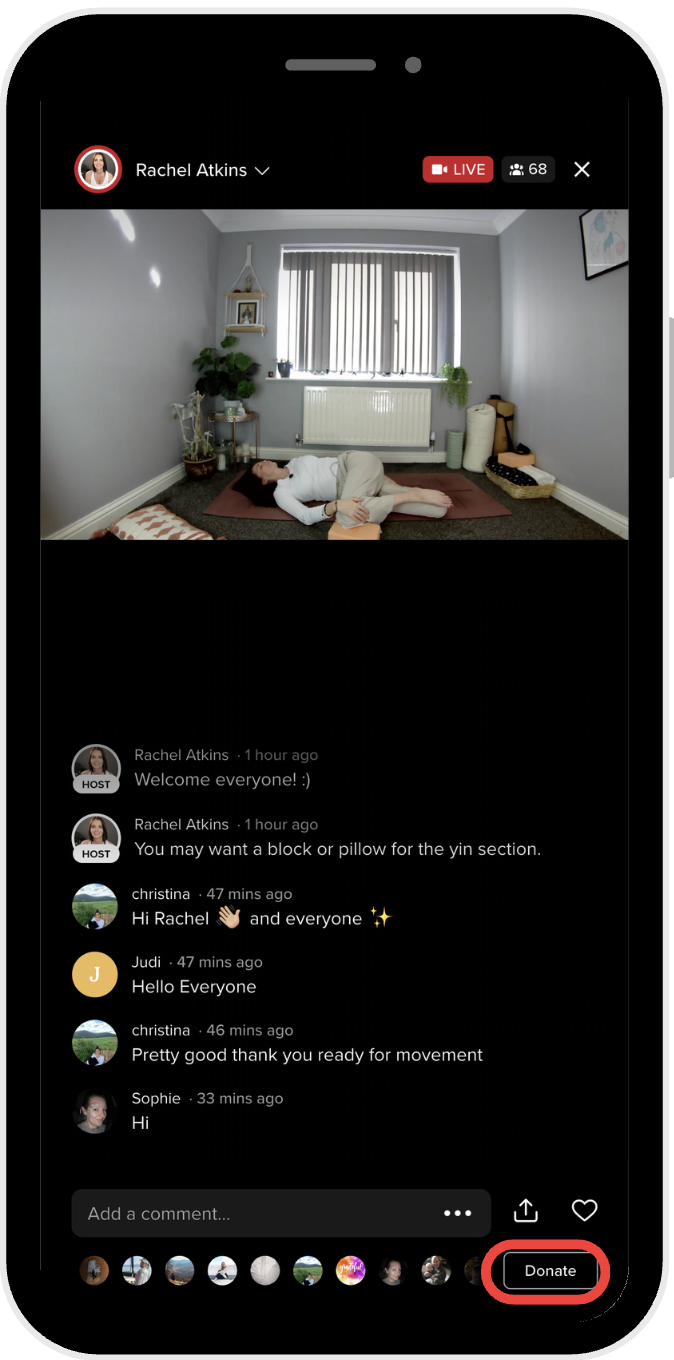
Community members can also donate to you directly while you're hosting and leading a live event. They can click the Donatebutton in the top right corner of the screen during the live session. This is often a powerful and high-energy moment when community members feel most directly connected to your teaching and may be most inspired and motivated to support your ongoing work as a teacher.
Having multiple places where community members can donate makes it convenient and natural for them to support your work at whatever moment feels most authentic and meaningful to them—whether that's after enjoying a recorded track, while exploring your profile and deciding to follow you, or during the real-time, live connection of an interactive event session where you're teaching together synchronously.
Maximizing Donations for Your Teaching Practice
To help your community members support you through donations, make sure donations are enabled on your teacher profile. It's also helpful to gently mention during your live events that listeners can support you, or include a note in your track descriptions letting people know that donations are available. Some teachers create a special note in their profile bio explaining that donations directly support their teaching mission, which helps community members understand the impact of their contribution.
Remember that donations are one revenue stream alongside other opportunities on Insight Timer. Combining donations with other teacher income sources can help build a sustainable income from your passion for teaching meditation, mindfulness, and wellbeing.