Why can't I hear the bells I've set?
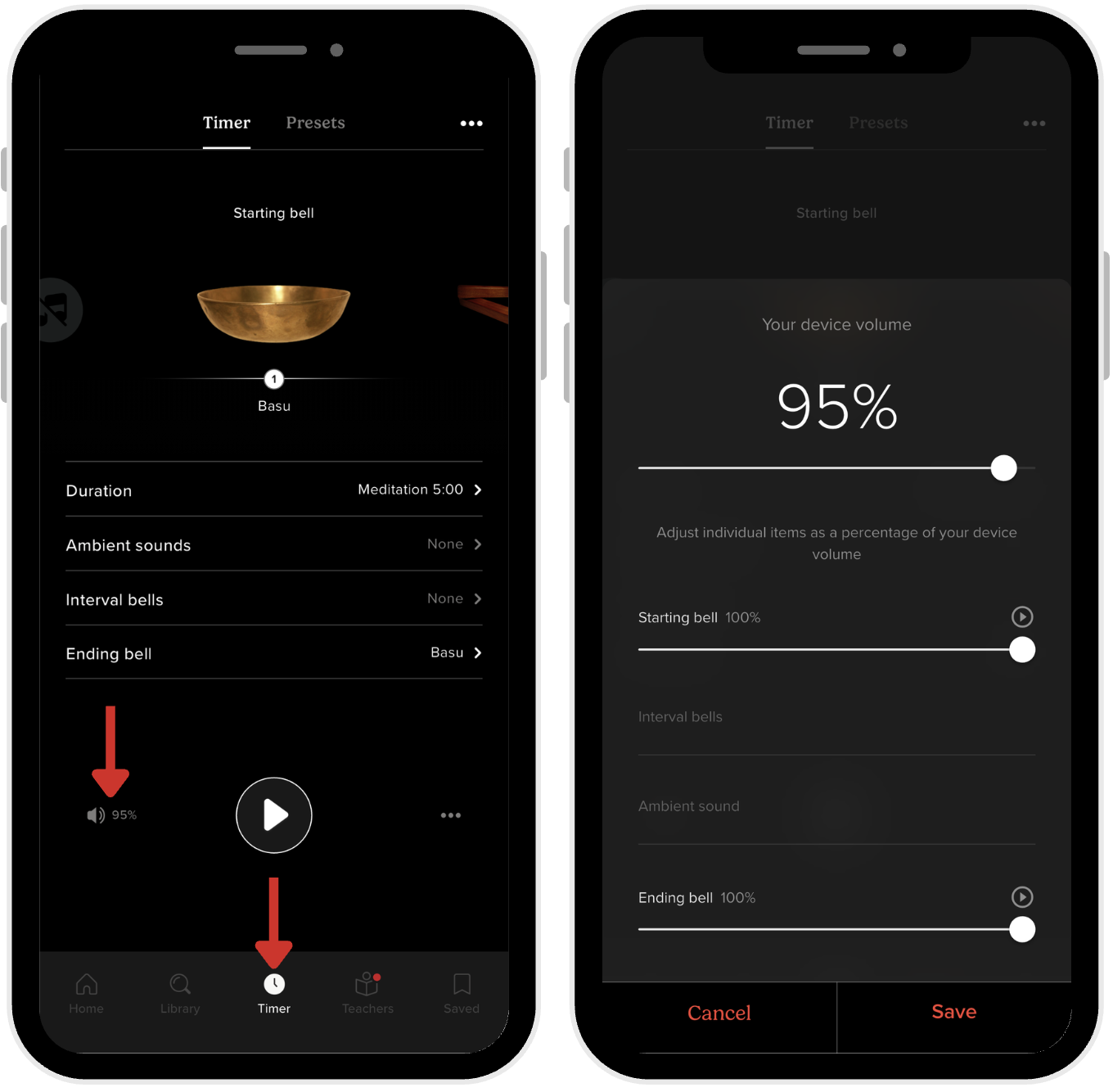
If you can't hear the interval bells during your meditation session, the volume may be turned down in the app. The Insight Timer timer has its own volume control that's separate from your device's main volume settings. Here's how to adjust it:
Steps to turn up bell volume
- Open the Insight Timer app.
- Tap the Timer tab (the middle icon at the bottom of the screen).
- Tap the Speaker icon in the lower-left corner, next to the Play button.
- Adjust each bell volume slider until the sound is clearly audible to you.
Your interval bells should now play at the volume you've selected. If you still can't hear them after adjusting, check that your device's overall volume isn't muted, and make sure you haven't toggled your device's Do Not Disturb mode on during your session.