
How to Become a Teacher on Insight Timer
We're genuinely happy and excited that you're considering sharing your teachings and expertise on Insight Timer. We welcome meditation teachers, yoga instructors, licensed therapists, musicians, wellness professionals, sound healers, and experts of all kinds who want to share their wisdom, knowledge, and work with our community of 30 million practitioners worldwide. Here's a detailed walkthrough of how to get started and begin your journey as an Insight Timer teacher.
Step 1: Create Your Teacher Account
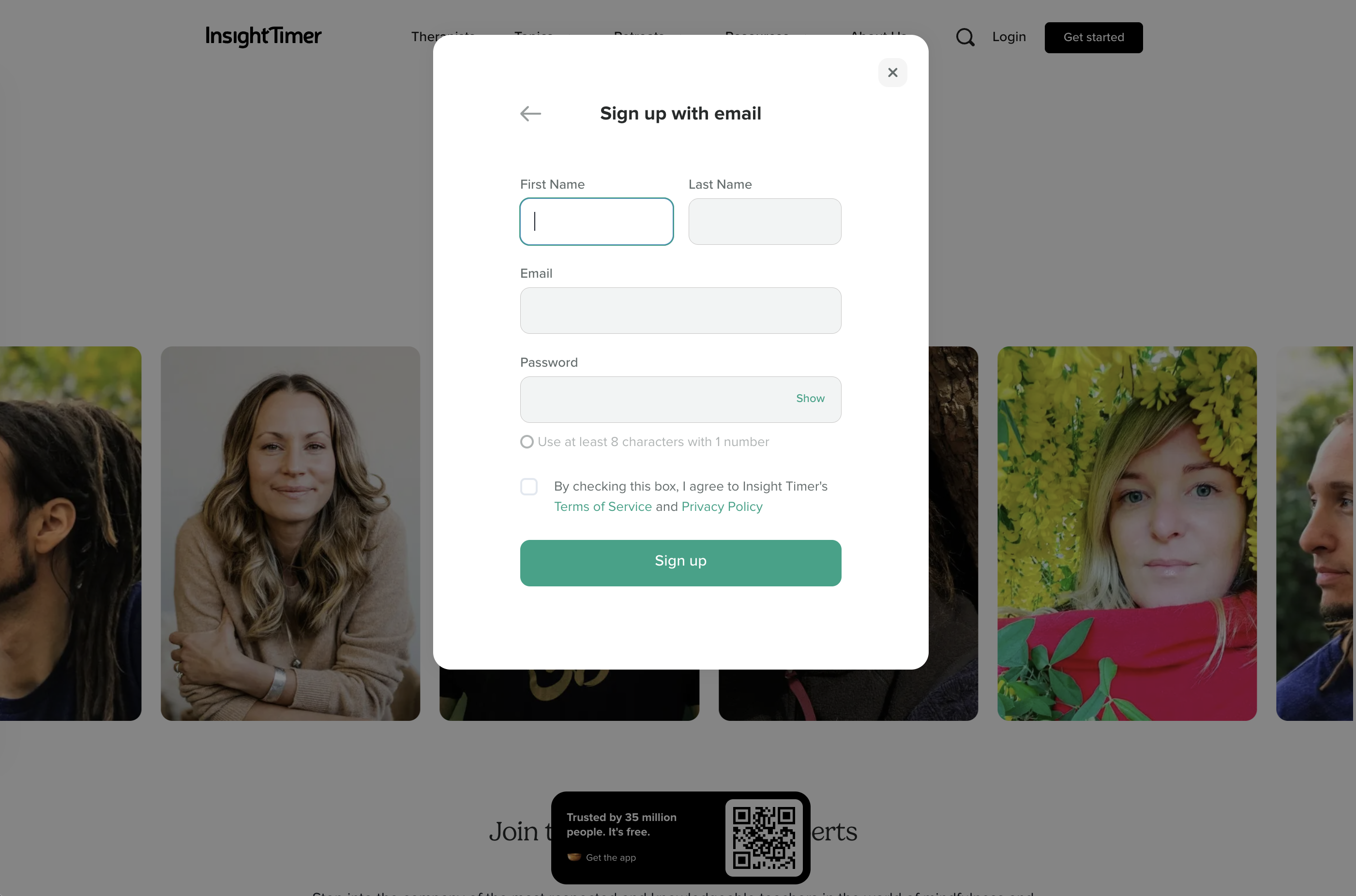
To start publishing your teachings and building your presence on Insight Timer, you'll need to create your Teacher account here. Before you begin the registration process, please take a moment to thoroughly review our Guidelines for Teachers. These guidelines are essential — they ensure that our community remains safe, authentic, of high quality, and trustworthy.
You'll be prompted to register as a new teacher or to sign in using your existing Insight Timer login credentials. If you already have a free community account on Insight Timer, you can use those same username and password credentials to access the Teacher Dashboard. You don't need to create a separate account.
Step 2: Access Your Teacher Dashboard
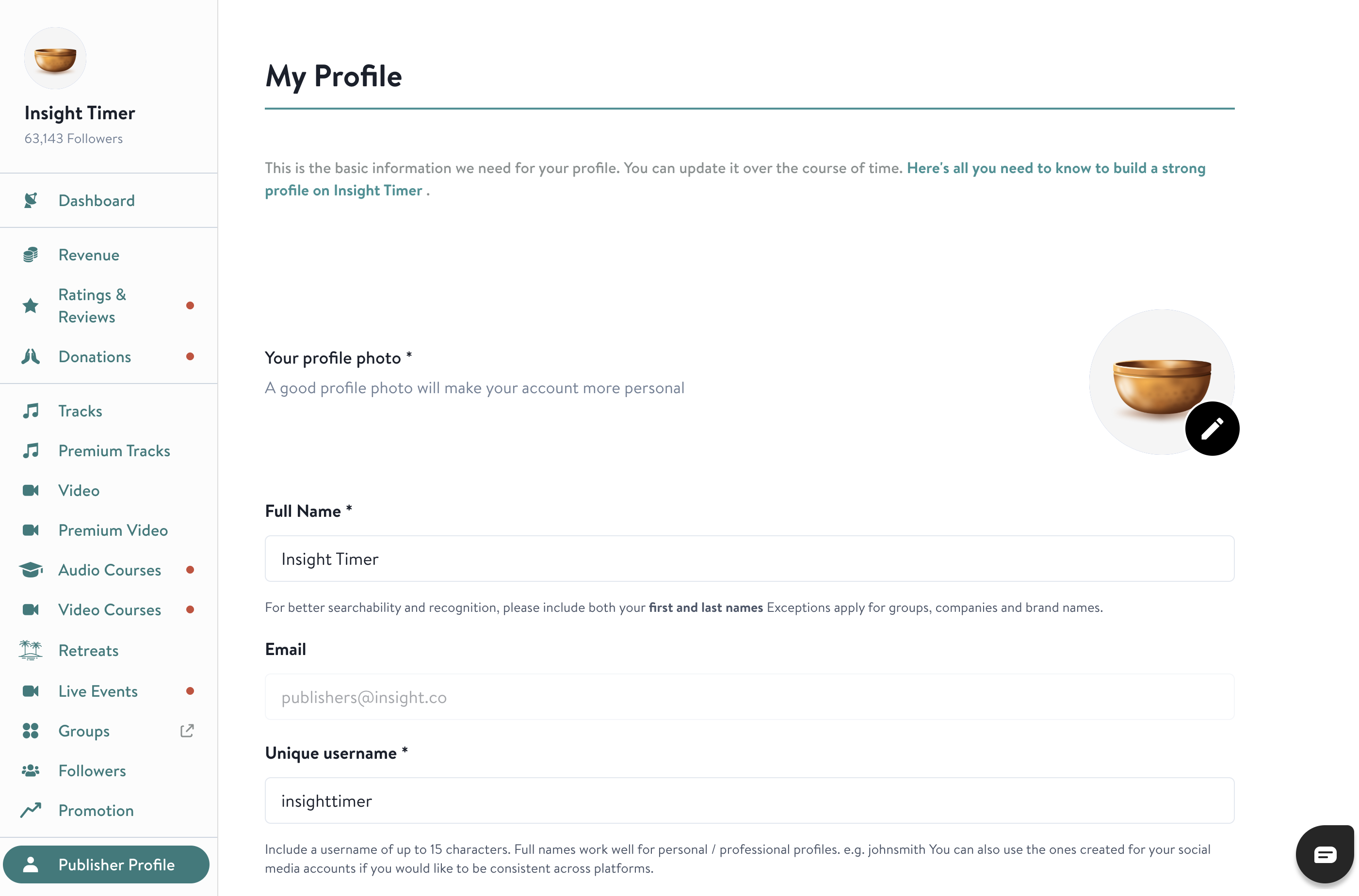
After registering or logging in, you'll be directed to the Teacher Dashboard. This is your personal admin portal and command center where you'll build your publisher profile, add payment details for receiving earnings, and upload and manage all of your content. Think of the Dashboard as your home base for everything related to your teaching on Insight Timer.
One Publisher Profile Per Teacher
To maintain the integrity and authenticity of our platform, we require that each teacher maintains only a single publisher profile. Multiple accounts will not be accepted, regardless of the variety of content you teach or the different formats you use. This policy helps us keep our community authentic and prevents duplicate or misleading profiles from the same person.
Step 3: Build Your Publisher Profile
On the 'Publisher Profile' section of your Dashboard, fill in all necessary information carefully and thoughtfully. For comprehensive requirements and detailed guidance on creating a standout teacher profile that adheres to Insight Timer's high standards, check our detailed teacher profile requirements guide.
Your Name, Username, and Location
Teachers should provide a name, a unique username, and their geographic location. We strongly recommend including both your first and last name in your professional name for authenticity, discoverability, and to help build trust with our community. However, we also welcome and support the use of artist pseudonyms, stage names, and professional aliases if that's how you're known in your field. Your username should ideally be similar to or match your Teacher Name so that our users can easily find you through search. Including your geographic location will enhance your discoverability within our community and help local meditators and practitioners connect with you.
Professional Profile Photo
Your profile photo should be a high-quality, professional headshot with a minimum resolution of 1600 × 1600 pixels (square format) and a maximum file size of 20MB. Ensure it is well-lit, taken at a flattering angle, and not overly edited or heavily filtered. The photo should not depict nudity, violence, or anything inappropriate for a wellness platform.
Avoid casual selfie-looking pictures taken by holding your phone at arm's length. Instead, use your phone's camera self-timer feature: open the camera app, select the timer function (set it for 3–10 seconds), place the phone on a stable surface at roughly chest height, and position yourself centered in front of a neutral, professional background with good lighting. This produces a more professional torso-up portrait. Do not include any text, decorative borders, or frames in the image itself.
For organizations, groups, or collectives, professional logos are acceptable provided they show the icon only without accompanying text. Musicians and performing artists may use a full-body photo that shows them actively using or holding their instrument(s). Live yoga teachers may likewise use a full-body image if it better represents their teaching.
Short Professional Bio
Write your bio following these specific guidelines:
- Written in the third person (e.g., "Sarah is a yoga teacher and trauma therapist..." rather than "I am a yoga teacher and trauma therapist...")
- Falls within the 200 to 1500 character range (approximately 60–80 words)
- Contains no external links, websites, or promotional content
- Contains no emojis or special characters
- Is not written entirely in ALL CAPS
Your bio is your opportunity to briefly introduce yourself, establish credibility, and explain why our community should be interested in learning from you.
Website or Online Presence Link
In the optional "Website" section of your teacher profile, you have the opportunity to share a web link that allows our team and community to explore more about you. This link can direct community members to your personal website, social media profiles, a Linktree link, or any other relevant online resource. It's essential to understand that this is the sole location within the app where you can promote an external link.
This section helps us get to know your background, online presence, and expertise. To complete your profile, it’s important that you provide either external links or relevant certifications and accreditations. If external links aren’t available, please upload certifications or accreditations related to the areas you plan to teach in.
Professional Credentials and Qualifications
To submit professional accreditation information, visit your Teacher Dashboard and navigate to Publisher Profile > Accreditations. In this section, you can include any relevant professional credentials, teaching certificates, degrees, licenses, certifications, or professional affiliations that you hold. These documents will be reviewed by our team during the profile approval process and help establish your credibility and expertise within our community.
Save Your Publisher Profile
After carefully filling in all your Publisher Profile information, click the 'Save' button in the bottom right corner to store and confirm your changes.
Step 4: Set Up Your Payment Details
In the 'Payment Details' section of your Teacher Dashboard, you'll need to choose whether you would like to receive payment for your work or if you'd prefer to donate all of your earnings to charity. We believe teachers, yoga instructors, musicians, and wellness professionals deserve fair compensation for their expertise, time, and creative effort.
Learn more in depth about how teachers can earn meaningful revenue on Insight Timer.
If you choose to receive payment for your work, you'll need to complete all required payment fields. Insight Timer processes all teacher payments via PayPal, so you must have an active PayPal account. You'll need to provide us with your PayPal ID (the email address that's associated with your PayPal account).
After adding and verifying your payment details, click 'Save' to confirm your information.
Step 5: Upload Your First Content
After successfully setting up your teacher profile and payment details, you'll unlock the ability to begin uploading and publishing content. Here are the main content types you can create:
Upload Your First Free Track
Go to the 'Tracks' tab in your Teacher Dashboard and follow the detailed submission instructions. Find all the steps, requirements, and best practices for submitting a Free Track here. Publishing your first free track is your entry point to the Insight Timer platform and the best way to start building an audience.
Apply to Teach Live Yoga Classes
If you're a yoga teacher interested in leading live classes on Insight Timer, navigate to the 'Live Events' tab in your Dashboard. Within the 'Yoga Classes' section, click 'Apply Here.' For comprehensive, detailed instructions about hosting Live Events and teaching Yoga Classes, visit this article.
Upload Retreat Listings
If you lead or organize in-person or virtual retreat experiences, go to the "Retreats" tab in your Dashboard and create your first retreat listing. This allows you to share your retreat offerings with our global community.
After You Submit: Approval Process
Please note that simply submitting a track, yoga class application, or retreat listing does not immediately make your teacher profile visible and live on Insight Timer. Each submission will be carefully reviewed by our team to ensure it meets our quality standards and community guidelines. Only after our team approves your content and profile will your Publisher Profile officially go live on Insight Timer and become visible to our entire community of 30 million meditators.
We review all submissions thoughtfully and carefully. Our goal is to maintain a high-quality platform where our community can trust the content they find and the teachers they learn from.
Unlocking Premium Content Publishing Abilities
After you've successfully published your first 2 Free Tracks on the platform, you'll automatically unlock additional publishing capabilities. At that point, you'll be able to publish Premium Tracks and full Courses, as well as host additional types of Live Events beyond just Yoga Classes. Explore Insight Timer's complete range of content formats, publishing options, and possibilities here.
Need Support on Your Teaching Journey?
If you need further assistance at any stage of your journey to becoming a teacher on Insight Timer, or if you have questions about the platform, publishing, or your profile, please reach out to our dedicated teacher support team at publishers@insighttimer.com. We're here to help you succeed and build your teaching presence on our platform.